

Thank you!
We will be in touch.
to update your phone voiceovers
Have you read our blogs?

Best Accounting Software for Small Businesses
Maybe, you own a small coffee shop, have your Instagram clothes store or run a French bakery around the corner. No matter what you do, you have to pay taxes, manage the payroll, and monitor your transactions. It’s not easy is it!? If you want to run your cashflow like...

What makes an excellent on-hold message?
What are your customers listening to while they’re on hold? Is the music, message or silence setting your customer up to become irritated or angry? According to a study conducted by AT&T, on average, 7 out of 10 callers are...

Why Using a Voice Bot is an Awful Idea?
Voice bots are awesome! You can record everything in a moment applying them. It takes no time to record a whole book with one of such bots. And they are mostly free. So, you wouldn't spend a single dollar for having hundreds of phone voiceovers, e-mails, instructions,...

Don’t forget about your callers, or they will forget about you.
Don’t forget about your callers, or they will forget about you. We’ve all seen it at least once, someone with toothpick legs and a bulky upper body. It’s not the best look, and the same goes for your business. Don’t. Forget. Leg. Day. What’s the equivalent of leg day...

On Hold Music Royalty Free
Every customer wants to feel special. They want to be treated well and their questions addressed right away. This does not only apply to in-store customers but also the customers who call your customer care service to register any grievances, complaints or seek...
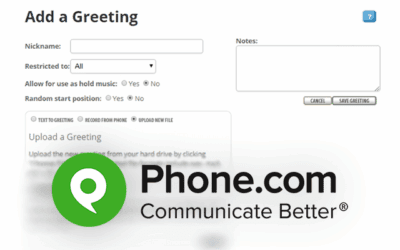
How to upload Ohvo Voiceovers to your Phone.com System?
Follow these instructions: 1) Sign in to your Phone.com account. 2) Move the mouse over to Configure, then click Add a Greeting. 3) For your greeting, enter a nickname, e.g., Voicemail, and choose the phone extension you desire to have this greeting restricted to. Let...